
01
Invoices and quotes
Build client-ready documents with your business identity, reusable line items, taxes, discounts, terms, and payment details. Convert an accepted quote into an invoice.
Explore documentsCreate polished invoices and quotes, keep track of what’s been paid, and run Mavri on your own server. Your business records stay in the deployment you control.
Copy one command to install Mavri
curl -fsSL https://raw.githubusercontent.com/Raktim94/mavri/main/scripts/quickstart.sh | bashInstalls Docker Desktop and git with Homebrew if either is missing, then downloads and starts Mavri. No Homebrew yet? The script tells you how to get it.
curl -fsSL https://raw.githubusercontent.com/Raktim94/mavri/main/scripts/quickstart.sh | bashInstalls Docker Engine (official script) and git if either is missing, then downloads and starts Mavri. Safe to run again.
irm https://raw.githubusercontent.com/Raktim94/mavri/main/scripts/quickstart.ps1 | iexSets up WSL2 with the Docker Engine, so no Docker Desktop, then downloads and starts Mavri. The first time, Windows may ask for one restart: restart and run the same command again.
Prefer to do it by hand? · Docker + SQLite · No hosted billing account
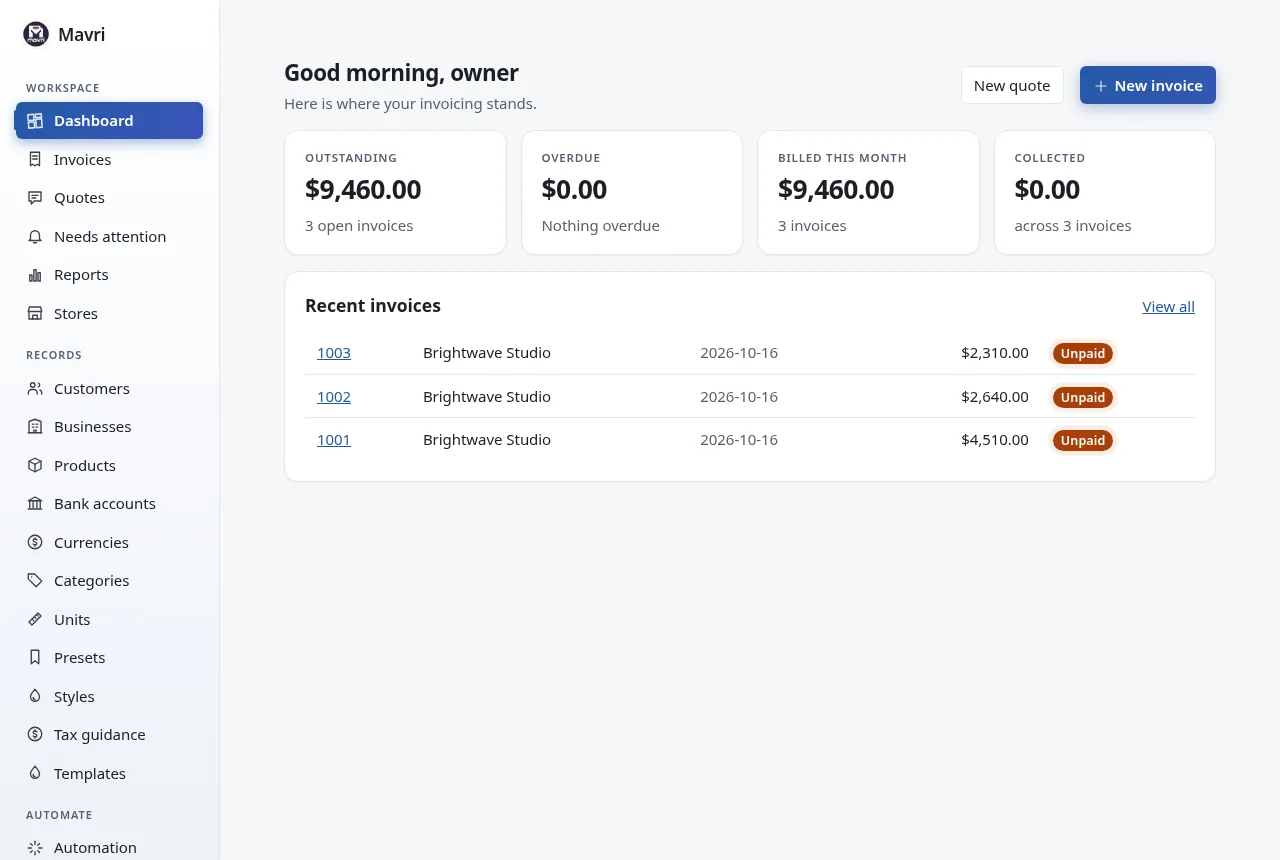
Hosted billing tools can make the software easy to start using while placing your records inside someone else’s service. Mavri takes a different route: run the application yourself, keep the database and backups under your control, and use a focused workspace for invoices, quotes, clients, and reports.
Build client-ready documents with your business identity, reusable line items, taxes, discounts, terms, and payment details. Convert an accepted quote into an invoice.
Explore documentsSee billed, paid, overdue, and outstanding amounts from your dashboard. Review document status and payment history as work moves forward.
See the dashboardKeep clients, products, business profiles, and document data in your own deployment. Download a backup from Settings, or copy the data folder.
Understand self-hostingConnect your billing workflow using the versioned REST API, signed webhooks, and Mavri’s MCP server.
Read the API guideFeatures
Mavri ships the core of invoicing and quoting in one container: no plug-ins, no paid tiers, no feature gating.
/api/v1 and signed Shopify, WooCommerce or generic webhooks.mavri-mcp for AI tools, a guided first run, light and dark themes, and Update now on CasaOS.Add your logo, colors, business details, bank information, notes, and terms. Mavri keeps a snapshot of the details used for each invoice or quote, so later edits to a client or catalog item do not rewrite an existing document.
Print or save as PDF from your browser, then send it your way. Mavri also downloads UBL 2.1 and XRechnung XML for electronic invoicing.
See how documents work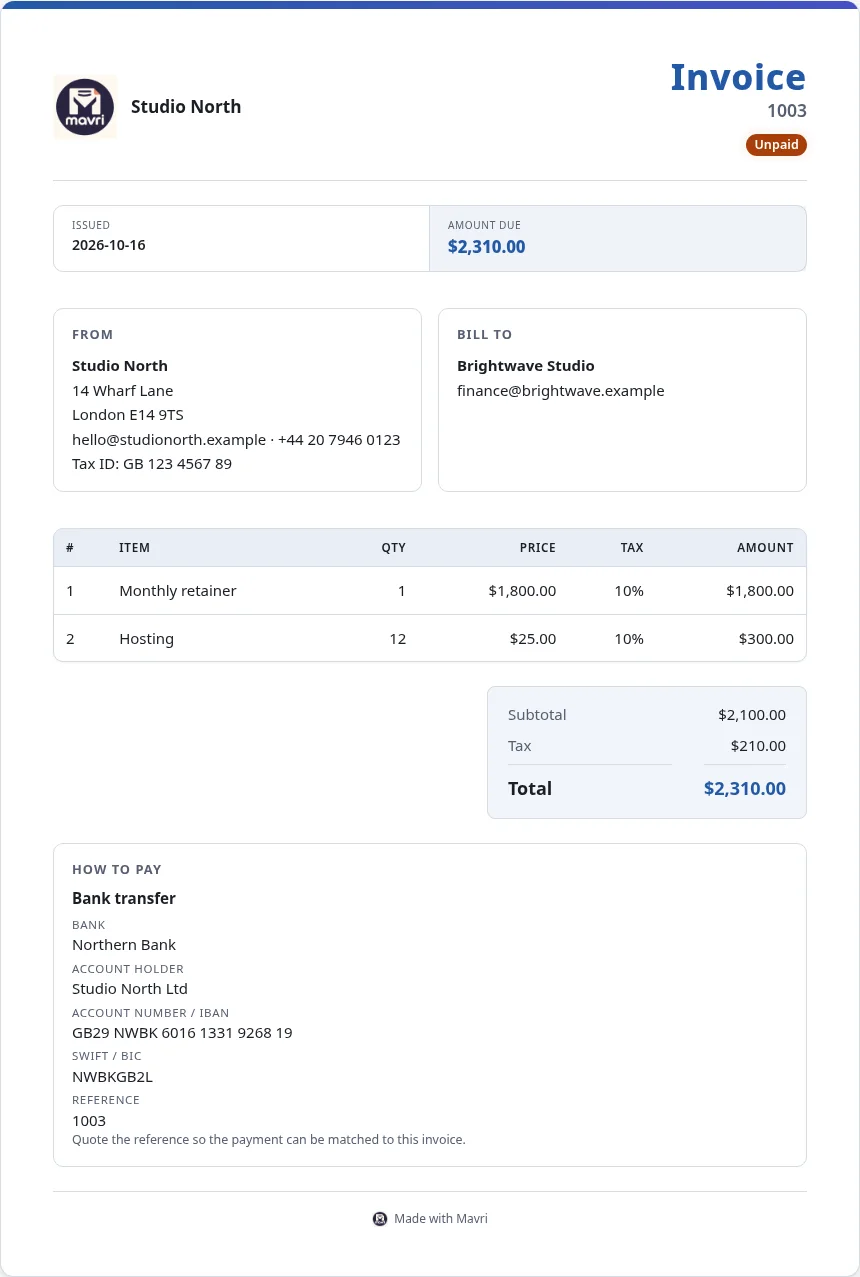
Screenshots
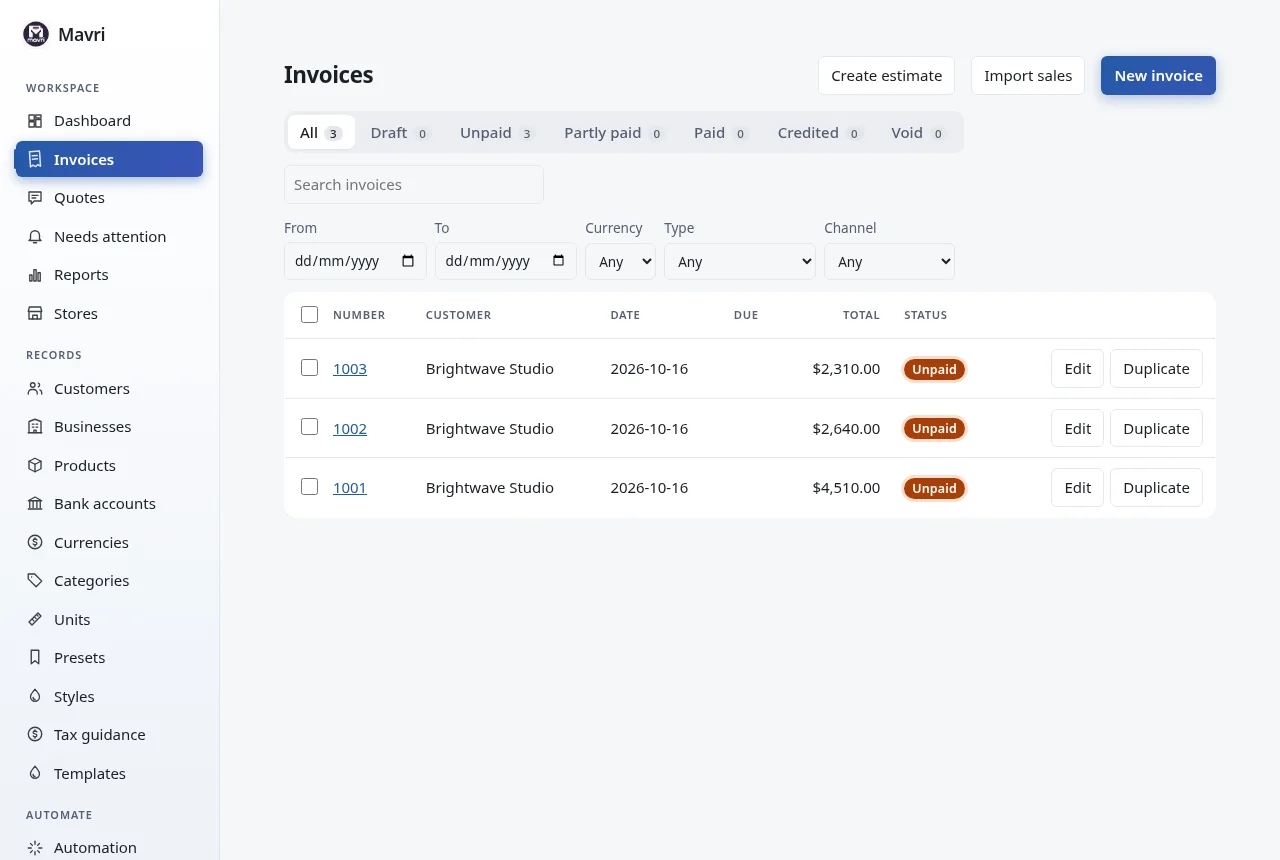
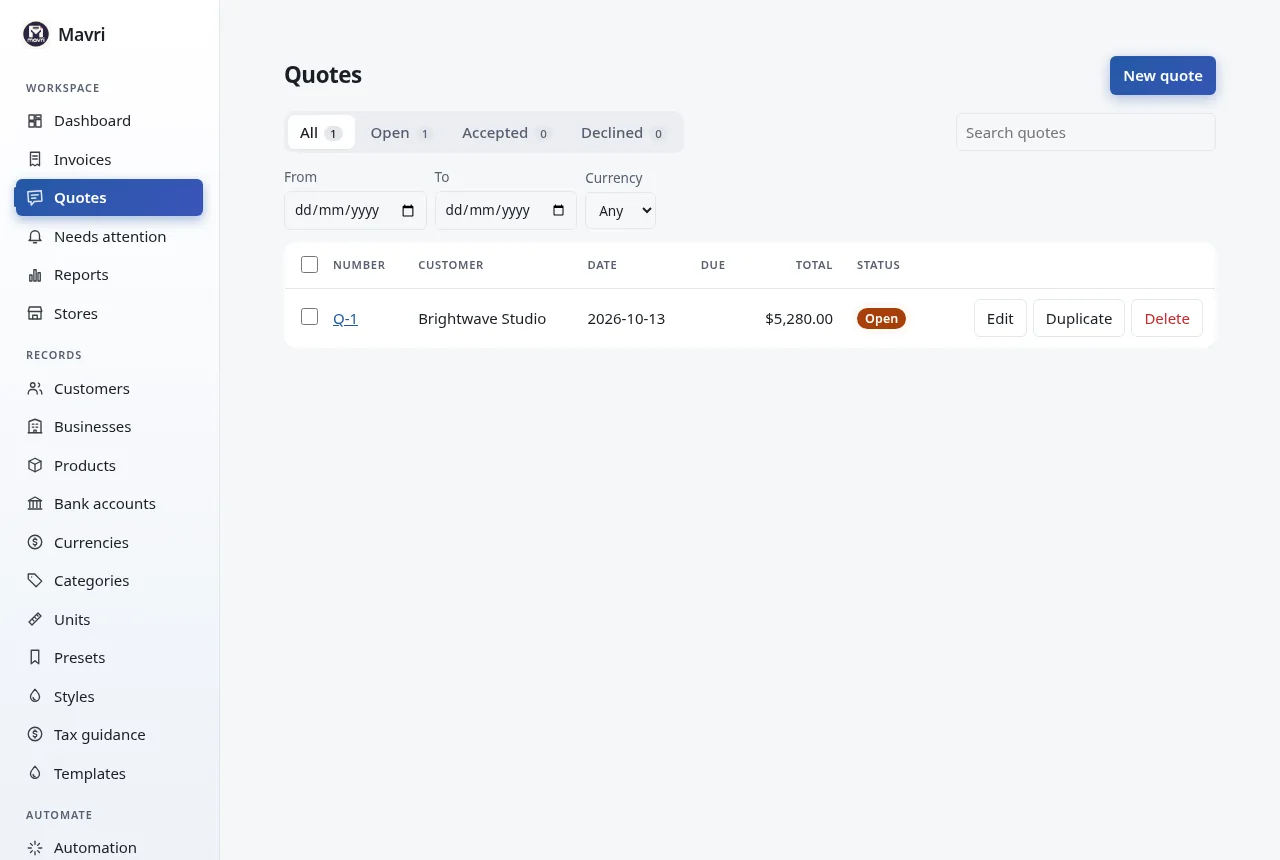
Real screenshots from a running Mavri instance: invoices, quotes and reports. Fictional demo data throughout.
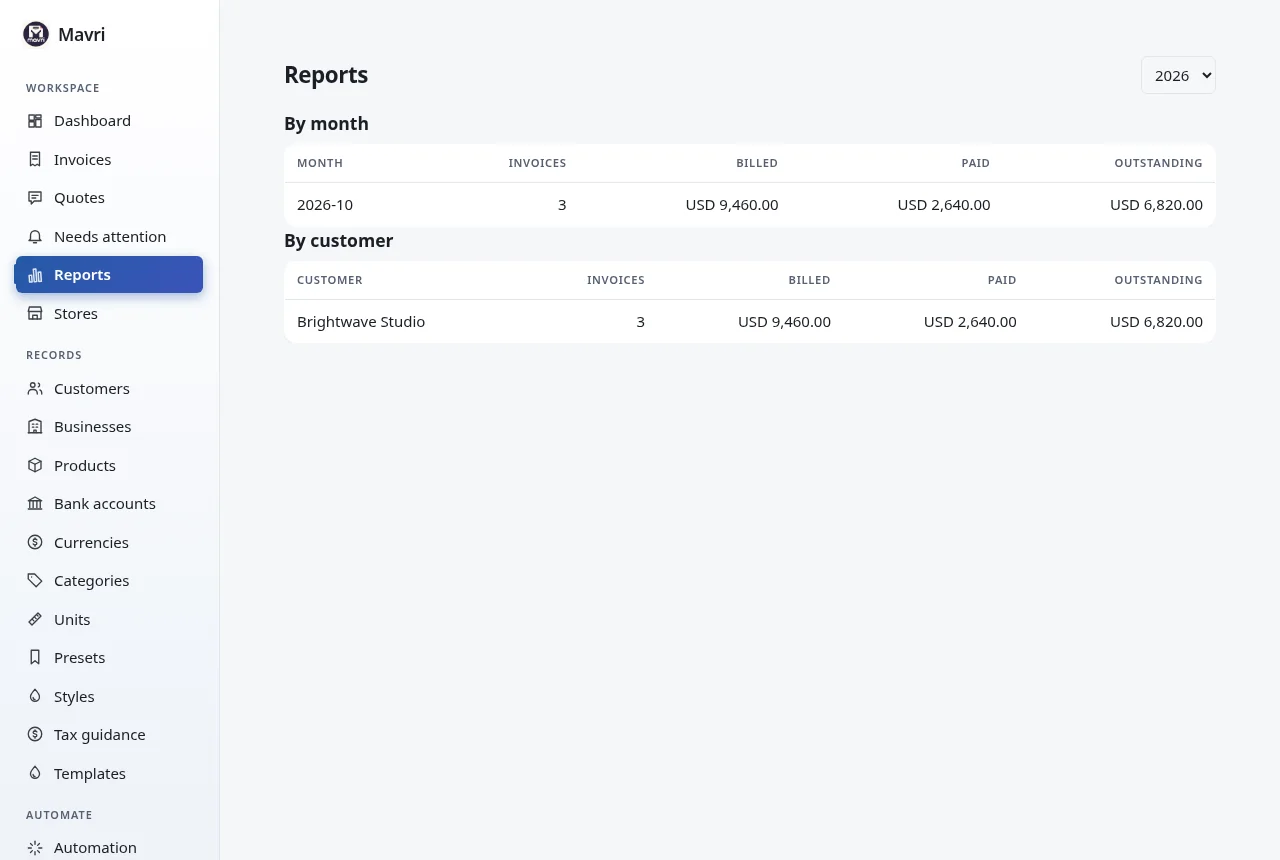
How to use Mavri
Create your owner account, add your business and a client, then build a quote or invoice. The guide walks through each screen with screenshots.
Copy the command from the quick start, then open localhost:3001.
Create the owner account and add your business, logo, currency and bank details.
Save customers and products you bill often. Both are optional.
Add lines and tax, record payments, convert accepted quotes, then print or save as PDF.
Check the dashboard and reports, and download a backup from Settings.
Self-hosting
Mavri runs as a Docker deployment with SQLite. You choose where it runs and how it is exposed. The same control comes with responsibility.
Illustration, not the Mavri interface.
Architecture
One container, one port, one SQLite database. The same server serves the web app, the REST API and the signed webhooks.
The app and the API share port 3001 by default (change it with HOST_PORT). Session cookies are first-party and there is nothing else to expose.
Any device that can reach your server can open Mavri in its browser. No per-device app. Put HTTPS in front when it is reachable from the internet.
The database lives in the data volume. Containers can be rebuilt or restarted and your records stay put. Back it up like any other important folder.
Start with the documented Docker Compose or CasaOS/ZimaOS path.
Create the owner account in your own install, then add business details, logo, currency and bank information. Every setup step is skippable.
Keep common clients and products ready for your next document.
Prepare a quote or invoice, then update its status and record payments.
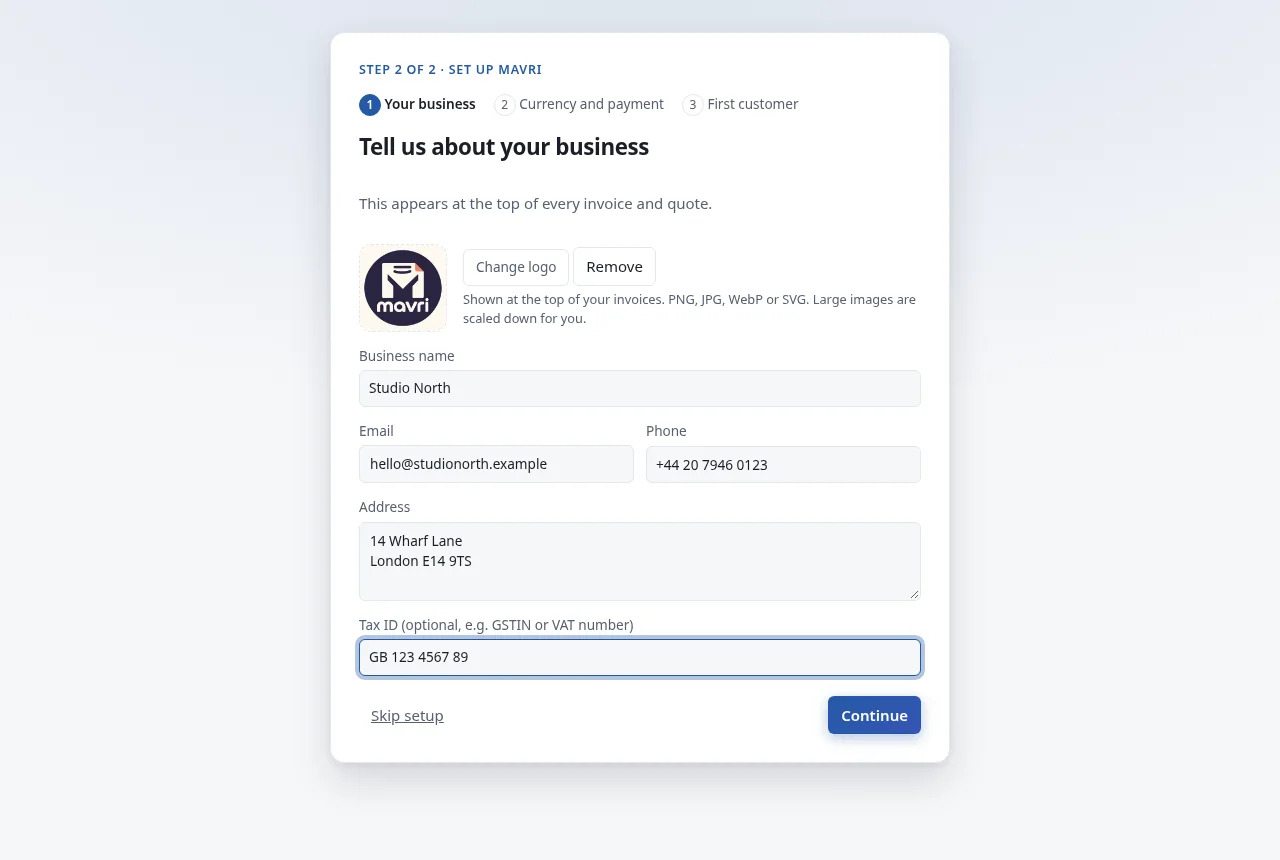
The guided first run takes you from account to business, logo, currency, bank details and first customer in a few minutes.
Follow the setup guideUse REST endpoints, signed Shopify and WooCommerce webhooks, or the MCP server to build a workflow that fits your setup.
The API is served by your own Mavri installation. It is for integrations, not a hosted service.
Read about automationComparison
Against typical hosted invoicing subscriptions and the spreadsheet approach. Hosted products differ, so check the one you are considering.
| Feature | Mavri | Hosted invoicing service | Spreadsheet |
|---|---|---|---|
| Software cost | Free (AGPL-3.0). You pay for your own hosting | Usually a subscription | Free to start |
| Where records live | Your server, in a SQLite file | The provider’s servers | Your computer or cloud drive |
| Quotes to invoices | Yes, in one step | Varies | Manual |
| Partial payments and status | Recorded and tracked | Varies | Manual |
| Collects card or bank payments | No, it tracks payment records | Often an option | No |
| UBL 2.1 and XRechnung XML | Yes | Varies | No |
| REST API and webhooks | Yes, served by your own install | Varies, sometimes a paid tier | No |
| Needs a vendor account | No | Yes | No |
| Backups and updates | You do them | The provider does them | You do them |
| Open source | Yes, AGPL-3.0 | Varies | Not applicable |
Self-hosting trades convenience for control: you maintain the server, the backups and the updates.
Runs on
Copy one command: it installs what is missing, downloads Mavri and starts it. Then open localhost:3001.
Windows 10 and 11. Open PowerShell.
Sets up WSL2 with the Docker Engine, so no Docker Desktop, then downloads and starts Mavri. The first time, Windows may ask for one restart: restart and run the same command again.
Restart if asked, then start Docker Desktop. Prefer clicking? See Docker’s Windows guide.
Intel and Apple silicon. Open Terminal.
Installs Docker Desktop and git with Homebrew if either is missing, then downloads and starts Mavri. No Homebrew yet? The script tells you how to get it.
That installs Git. Then get Docker Desktop from Docker’s Mac guide and open it once. Keep it running while you use Mavri.
Debian, Ubuntu, Fedora and others. Open a terminal.
Installs Docker Engine (official script) and git if either is missing, then downloads and starts Mavri. Safe to run again.
Follow the official Docker guide for your distribution (with the Compose plugin), install Git, then let your user run Docker:
Log out and back in afterwards.
docker --version
docker compose version
git --version

# in the mavri folder
docker compose logs -f     # watch the logs
docker compose down        # stop Mavri
docker compose up -d       # start it again
Home server or NAS? Use the CasaOS and ZimaOS guide. Back up from Settings before you rebuild or update.
After installing
http://localhost:3001 (or http://<your-machine-ip>:3001 from another device) and create the owner account: an email and a password of at least 8 characters with letters and numbers.curl http://localhost:3001/api/health.git clone https://github.com/Raktim94/mavri.git
cd mavri
docker compose up -d --buildNeeds Docker with Compose and git. Builds Mavri from source; bash install.sh does the same and waits until Mavri is healthy.
docker run -d --name mavri -p 3001:3001 -v mavri-data:/data ghcr.io/raktim94/mavri:2.5.0No git and no build. Your data lives in the mavri-data volume.
curl -fsSLO https://raw.githubusercontent.com/Raktim94/mavri/main/casaos/docker-compose.ymlIn CasaOS or ZimaOS open App Store → Custom Install → Import and choose that file. It opens on port 8473. Full CasaOS guide.
On CasaOS open Settings → Updates and press Update now. Elsewhere, pull and rebuild (or pull the newest image and recreate the container). Your data stays in the volume; download a backup first.
cd mavri
git pull
docker compose up -d --build
Behind nginx, Caddy or a Cloudflare Tunnel, switch on secure cookies and proxy trust. Change the port with HOST_PORT. Email, online payments and scheduled backups stay off until you configure them in Settings.
COOKIE_SECURE=true TRUST_PROXY=1 docker compose up -d --build
HOST_PORT=8080 docker compose up -d --buildMaintainers do not host or manage your instance, so back up your data folder before relying on it.
Progress
Mavri is under active development. This list comes from the project’s own history; there is no dated promise about what comes next.
mavri-mcp server.mavri-legacy converts databases from earlier versions.More from NodeDR
Mavri is one of several products from NodeDR Infotech. Each one runs on your own hardware and keeps your data with you.
Retail
Free, offline-first point of sale and inventory for retail shops: barcode checkout, GST billing and ESC/POS thermal printing.
Restaurants
Free restaurant management and POS: UPI QR payments, GST billing, kitchen display, inventory, staff attendance and payroll, accounting and QR ordering.
CRM
Free, self-hostable telecalling CRM and workforce-operations platform for teams that want to keep their data.
Accounting
Self-hosted billing, inventory, accounting and India GST platform with double-entry accounting, e-Invoice and e-Way Bill. Go and PostgreSQL.
Pharmacy
Free pharmacy management software you run yourself.
Forms
A self-hosted form backend: point any website’s contact form at it and read submissions in your own dashboard. Go API, Next.js dashboard, PostgreSQL, export to XLSX and PDF.
Communication
Open-source, self-hosted communication platform for SMS, voice calls, contacts and campaigns, using your own Twilio account.
What a Mavri backup contains, what it leaves out, and how to keep a copy you can actually restore.
A fair look at what you gain and what you take on when you run your own invoicing software.
What separates a quote from an invoice, how they move through a job, and how Mavri turns one into the other.
Mavri is open-source software released under the AGPL-3.0 license. Review the license and its terms in the license page.
Mavri uses a SQLite database in the deployment’s data directory or volume. You choose and administer the server where it runs.
Mavri is self-hosted. You create the owner account in your own installation; there is no Mavri hosted billing account required.
Yes. You can prepare quotes and convert an accepted quote into an invoice.
Yes. Mavri can download UBL 2.1 (Peppol BIS 3.0) and XRechnung 3.0 XML, and tells you which required field is missing if a document is incomplete. Generated files do not replace review for your own jurisdiction’s rules.
No. Mavri tracks invoice and payment records. It is not a payment processor.
Use Settings → Backup to download your records as one file, and copy the whole data folder if you also want the keys and store connections, which a backup file does not include. Keep backups somewhere separate and periodically check that you can restore them. See the backup guide.
Yes. Mavri has a versioned REST API, signed webhooks (Shopify, WooCommerce or any sender that can sign a JSON body) and an MCP server. See the API reference.
The interface is in English, and the database is SQLite only.
Mavri is made by NodeDR Infotech Private Limited and maintained by Raktim Ranjit (@Raktim94). It is free, open-source software under the AGPL-3.0 license.
Contribute